Red Zone Chat Widget

Website Lead Capture Widget for Small Businesses

Turn website visitors into named, CRM-ready leads with phone, text, WhatsApp, Facebook, email, and AI chat options in one simple widget.
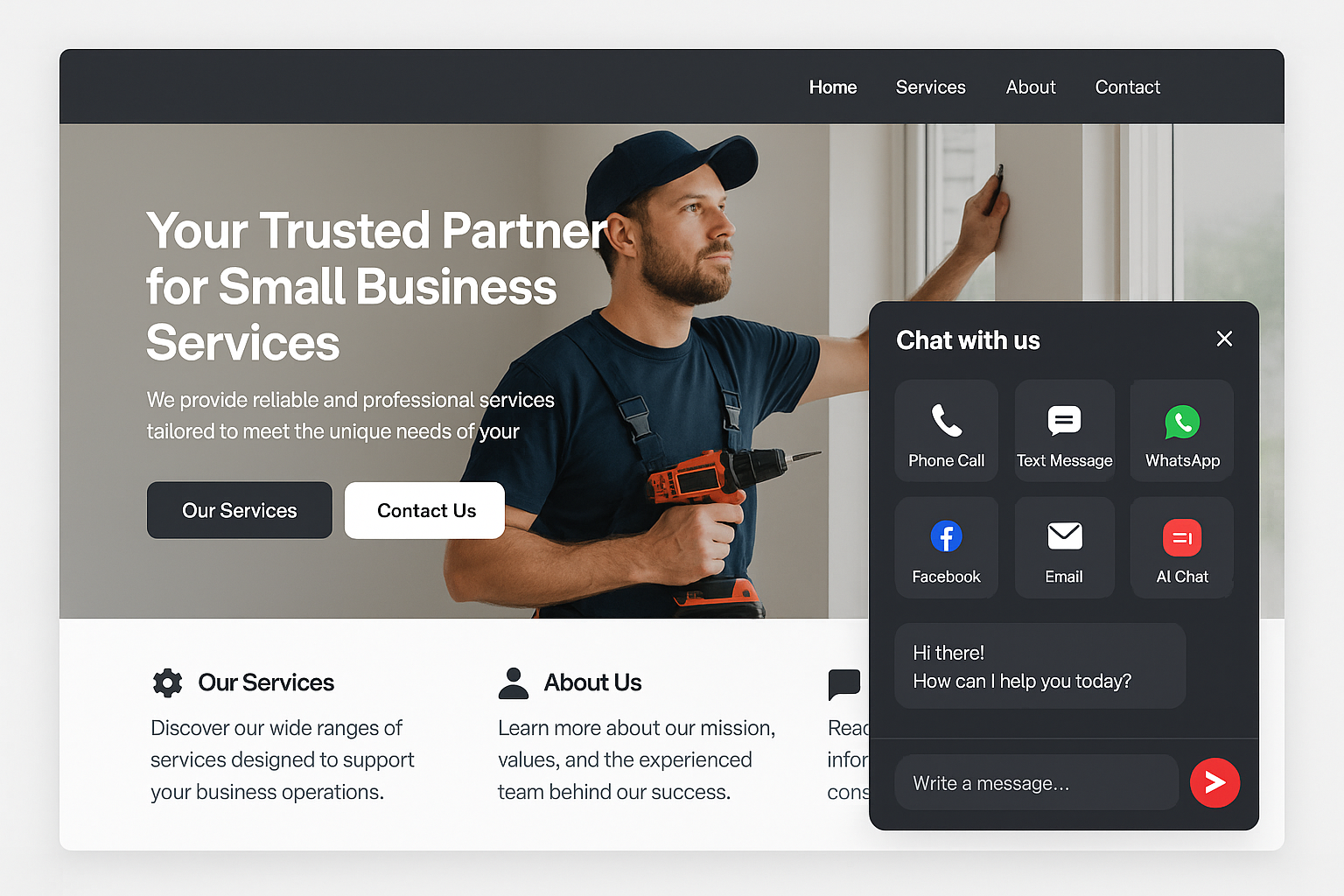
Red Zone Chat Widget website lead capture tool for small businesses

Direct Answer

What is the Red Zone Chat Widget?

The Red Zone Chat Widget is a small business lead capture widget that gives website visitors six ways to contact you: phone, text, WhatsApp, Facebook, email, and AI chat. It captures full lead details and sends them into your CRM with tags and conversation context.

Built for visitors who do not all want to contact you the same way.

Some want to call. Some prefer text. Some want AI answers first. The widget lets each visitor choose the path that feels easiest.

Six Contact Paths

Give Every Visitor an Easy Way to Become a Lead

The easier it is to reach you, the more leads your website captures.

Call

Tap to call from mobile or desktop.

Text

Start a quick SMS conversation.

WhatsApp

Reach businesses through WhatsApp where preferred.

Facebook

Connect through Messenger or Facebook.

Email

Send details without opening a separate contact page.

AI Chat

Answer questions and capture lead details automatically.

How It Works

From Anonymous Visitor to CRM-Ready Lead

1

Visitor scrolls

The widget appears after engagement, not before they understand the page.

2

Visitor chooses

They pick phone, text, WhatsApp, Facebook, email, or AI chat.

3

AI qualifies

The AI answers questions and captures name, phone, email, address, and need.

4

CRM receives

Lead details, tags, source, and transcript flow into GoHighLevel or your CRM.

5

Follow-up starts

Automation, reminders, and sales follow-up begin immediately.

FAQ

Chat Widget Questions

What does the Red Zone Chat Widget do?
The Red Zone Chat Widget helps small business websites capture more leads by giving visitors six contact options and sending complete lead details into the CRM.
Does the widget include AI chat?
Yes. The AI chat can answer business-specific questions, collect lead information, and pass the conversation into the CRM.
Can it connect to GoHighLevel?
Yes. The widget is designed to work with GoHighLevel-style CRM workflows, lead tags, transcripts, and follow-up automation.
Why offer multiple contact options?
Different customers prefer different channels. Offering phone, text, WhatsApp, Facebook, email, and AI chat reduces friction and increases the chance that a visitor becomes a lead.
Is this only for local businesses?
No. It works for local businesses and national small businesses that want more website visitors to become leads.

Capture More Leads

Turn More Website Visitors Into Conversations

Ask us how the Red Zone Chat Widget can connect your website to your CRM and follow-up system.

Ask About the Chat Widget โ†’